
If you’ve just picked up an IQOS ILUMA i in Dubai, Abu Dhabi, or anywhere else in the UAE, you’re holding the newest generation of IQOS’s heated tobacco technology. It looks simple on the outside, but between the touch screen, the induction heating system, and the smart features hiding inside the IQOS App/Web App, there’s more going on than the box tells you.
This guide walks you through everything a first-time user needs: how to charge it, how to insert a TEREA stick correctly, what each vibration and light actually means, and the mistakes that trip up almost every beginner in their first week. Wherever the official instructions leave gaps, we’ve filled them in with practical, UAE-specific detail.
What Is IQOS ILUMA i?
IQOS ILUMA i is the latest heated tobacco system from IQOS, built around SMARTCORE INDUCTION SYSTEM technology. Unlike older IQOS generations, ILUMA i has no internal blade. Instead, it uses induction to heat a metal heating element located inside the TEREA SMARTCORE STICK itself. That single design change is what removes the need for the internal blade-cleaning older IQOS devices required, since there’s no exposed heating element sitting inside the Holder for tobacco residue to collect on.
ILUMA i devices work exclusively with TEREA tobacco sticks (marketed as SMARTCORE STICKS™), which contain that induction-compatible heating element. Older HEETS sticks made for previous IQOS generations are not compatible with ILUMA i and shouldn’t be used in it, since doing so risks damaging the device.
Meet the IQOS ILUMA i Family: Which One Should a Beginner Choose?
IQOS ILUMA i isn’t a single device, it’s a small range made up of three models: IQOS ILUMA i Standard, IQOS ILUMA i PRIME, and IQOS ILUMA i ONE. Knowing the difference matters before your first session, and it’s worth checking the official IQOS UAE store for what’s currently on sale near you, since exact availability can vary.
IQOS ILUMA i Standard
is the closest thing to the “classic” IQOS shape: a two-part system made up of a Pocket Charger and a separate Holder, with an interchangeable door for customizing its look. You charge the Holder inside the Pocket Charger, then pull it out to use it, familiar territory if you’ve used an IQOS device before.
IQOS ILUMA i PRIME
uses the same two-part Pocket Charger-and-Holder structure and core induction technology as IQOS ILUMA i Standard, and both models are built around the same touch-screen interface and smart-feature set described later in this guide. ILUMA i PRIME is positioned as the more refined, premium option, with a different cover material and finish. Functionally, first-time setup and daily use are very similar to IQOS ILUMA i Standard; the difference is mainly in design and materials, not in the basic steps you follow. Always check your specific model’s user guide for the exact feature set that applies to it.
IQOS ILUMA i ONE
simplifies things further into a single, all-in-one unit with no separate Pocket Charger to manage, you charge and use the same device. If your priority as a beginner is having the fewest parts to think about, the ILUMA i ONE is generally the simplest starting point. If you’d rather have a dedicated charging case you can carry separately and swap the Holder in and out of, IQOS ILUMA i Standard or PRIME fits that habit better.
All three models run on the same SMARTCORE INDUCTION SYSTEM and are built to work exclusively with TEREA sticks. The choice between IQOS ILUMA i Standard, PRIME, and ONE comes down to design, carrying habits, and current UAE availability, not the core experience.
What’s in the Box
Before your first session, check that everything is accounted for. A quick recap of what you’re unboxing:
- IQOS ILUMA i Standard, a two-piece system with a Holder and Pocket Charger.
- IQOS ILUMA i PRIME, a two-piece system with the same core operating technology as the Standard, plus additional premium design and materials.
- IQOS ILUMA i ONE, an all-in-one device without a separate Pocket Charger.
Before You Start: Charging Your IQOS ILUMA i for the First Time
IQOS recommends fully charging the device before first use, regardless of which model you have.
- Press and hold the ON/OFF button on the Pocket Charger for about 4 seconds, then release. The Pocket Charger’s status lights and the Holder’s status lights will turn on gradually.
- Place the Holder inside the Pocket Charger and close the door. The Holder’s status light will show its current battery level.
- Connect the charging cable (and AC power adapter, if included with your kit) to the Pocket Charger, then plug it into a wall outlet.
- Give it a full charge, approximately 135 minutes for the Pocket Charger on IQOS ILUMA i Standard and PRIME models. While charging, the strip lights pulse; if the device was fully discharged, the first light may blink yellow for a few seconds before switching to white once the charge passes roughly 7%.
- A full charge is complete when all four strip lights on the Pocket Charger are solid white.
If you have the IQOS ILUMA i ONE, there’s no separate Pocket Charger step. Simply plug the device directly into the wall outlet using its charging cable and adapter, and wait until all four strip lights indicate a full charge; they turn solid white and then switch off, indicating a full charge (approximately 90 minutes).
Tip: check your charge level any time by pressing and releasing the Pocket Charger’s button. The status light will blink to show the current level.
Step-by-Step: How to Use IQOS ILUMA i
Once your device is fully charged, using it for the first time follows the same basic sequence every time after.
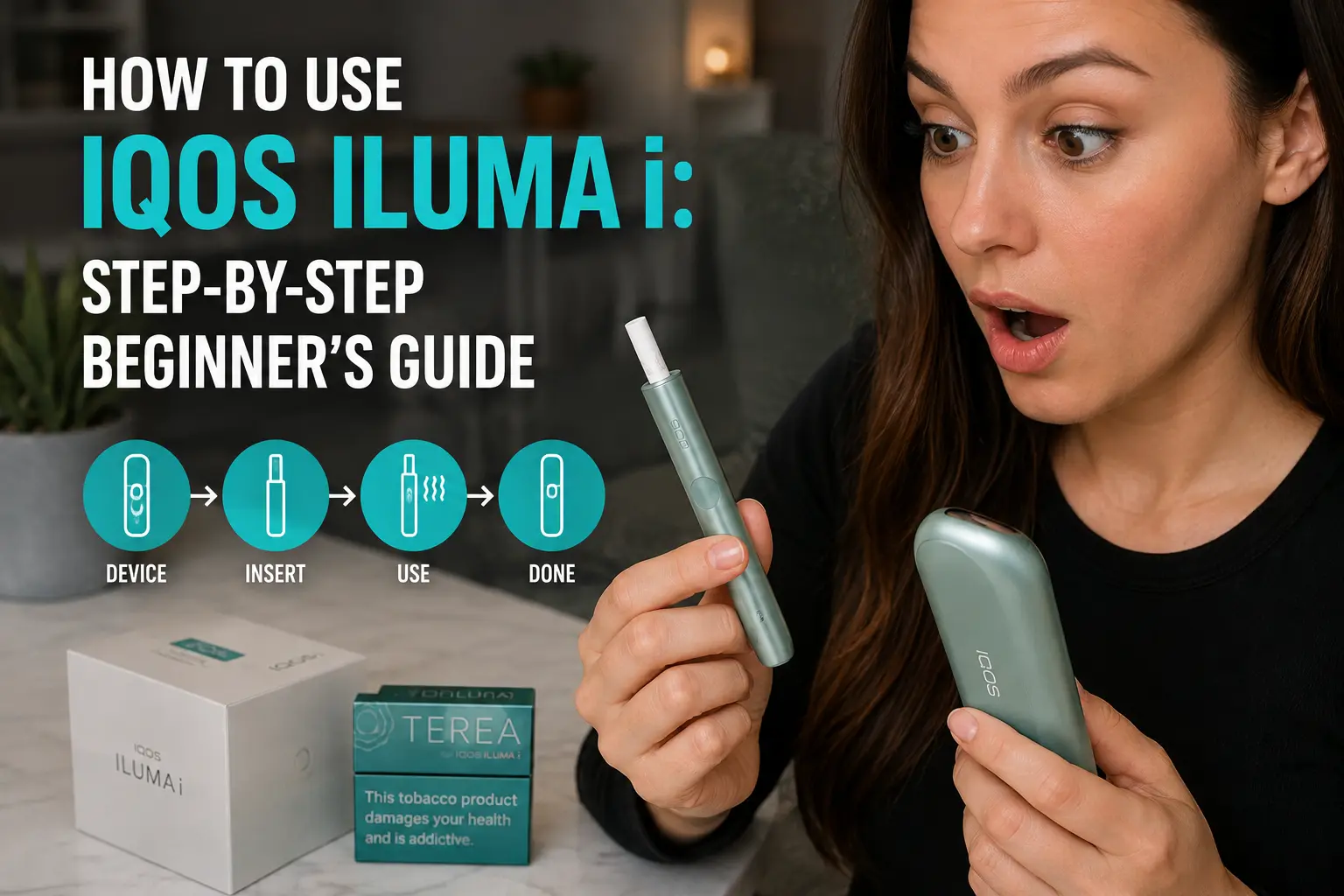
Step 1: Take the Holder out of the Pocket Charger. (On the ILUMA i ONE, this step doesn’t apply, the device is ready to use as soon as it’s charged.)
Step 2: Insert a TEREA stick. Insert the TEREA SMARTCORE STICK tobacco end first, straight into the Holder, until it reaches the marked line on the filter. Insert it straight, without twisting or forcing it.
Step 3: Let Autostart take over. As soon as the stick is properly seated, the Holder vibrates once and the induction heating begins automatically, this is the Autostart feature, and you don’t need to press any button to trigger it. If preheating doesn’t begin automatically, swiping up on the touch screen (IQOS ILUMA i Standard and PRIME) will start it manually and show the preheating status. Preheating itself takes approximately 20 seconds.
Step 4: Wait for the second vibration. This signals that preheating is complete and the device is ready. The Light Guide around the touch screen will indicate this.
Step 5: Enjoy your session. Take slow, steady puffs. A standard experience runs for up to 6 minutes or 14 puffs, whichever comes first; FlexPuff (explained below) may provide up to 4 further puffs within that same 6-minute window on eligible sessions. As the session nears its end, the Holder vibrates again to signal you’re down to the last couple of puffs or roughly the final 30 seconds.
Step 6: Remove the used stick. Pull the TEREA stick straight out once the session ends, without twisting. Dispose of the used stick responsibly (more on this below).
Step 7: Recharge the Holder. Place the Holder back into the Pocket Charger to begin recharging for your next session. On the ILUMA i ONE, the device itself simply needs to cool down and recharge before its next use.
Session Length vs. Consecutive Uses: Don’t Confuse the Two
This is one of the most commonly misunderstood parts of the ILUMA i experience, and it’s worth separating clearly:
- Per-stick session length is the same across the whole ILUMA i range: up to 6 minutes or 14 puffs per TEREA stick.
- Consecutive uses per charge is where the models differ. The Holder on IQOS ILUMA i Standard and PRIME can deliver up to 3 consecutive uses in Performance Mode when Pause Mode isn’t activated, before it needs to go back in the Pocket Charger to recharge. Using Pause Mode can change this behavior, and your touch screen will indicate remaining uses for your specific device. The all-in-one ILUMA i ONE, by contrast, is built for up to around 20 consecutive uses on a single full charge, since it doesn’t rely on a separate Holder/charger cycle.
In short: how long one stick lasts doesn’t change between models. How many sticks you can get through before needing to recharge does.
Advanced Features: Getting More Out of Your ILUMA i
Beyond the basic charge-insert-puff cycle, ILUMA i devices include a few smart features worth understanding from day one.
FlexPuff is available across the ILUMA i range, while Pause Mode and FlexBattery are available on IQOS ILUMA i Standard and PRIME. The ILUMA i ONE instead relies on AutoStart/AutoStop and its own button and light indicators, rather than a touch screen. Check your specific model’s user guide for how each feature is triggered on your device.
Pause Mode lets you stop a session partway through and pick it back up later. On IQOS ILUMA i Standard and PRIME, it’s available once you’re in Performance Mode, on the first or second consecutive use, and can be activated within the first 3 minutes or 8 puffs of a session. Swipe down across the full length of the touch screen to pause (a partial swipe won’t trigger it); four vertical lines will appear to confirm. To resume, swipe up and wait for the preheating vibration. Pause can hold your session for up to 8 minutes before the Holder automatically shuts off if you don’t resume.
FlexPuff is a smart feature managed through the IQOS App/Web App (active by default on new devices) that can extend your experience by analyzing how much aerosol you’ve actually consumed. If triggered, it may provide up to 4 extra puffs within the remaining 6-minute experience, depending on individual usage patterns. FlexPuff doesn’t activate if Pause Mode was used during that session, and it won’t apply to every session.
FlexBattery is available on IQOS ILUMA i Standard and PRIME, and lets you choose between Performance Mode and Eco Mode. Performance Mode supports up to 3 consecutive experiences on a single Holder charge when Pause Mode isn’t activated, while Eco Mode limits the Holder to one experience per charge and is designed to help extend the Holder’s battery lifespan over time. The touch screen with Light Guide rounds out the smart-feature set on these two models: the touch screen shows session status and remaining uses at a glance, while the Light Guide visually counts down your remaining time.
Setting Up the IQOS App / Web App
Connecting your IQOS ILUMA i to the official IQOS App (also referred to as the IQOS Web App / customer account on some UAE pages) unlocks a level of control the physical device alone doesn’t give you. Depending on your model, it typically lets you manage features such as FlexPuff, Pause Mode, battery mode (Performance vs. Eco), touch screen brightness, and vibration or illumination settings. Exactly which settings are available can vary between IQOS ILUMA i Standard, PRIME, and ONE. If you’re a beginner who wants a gentler, more predictable experience while you learn the device, this is where you can fine-tune it rather than relying on default settings alone.
Common Mistakes First-Time Users Make
A handful of small habits separate a smooth first week from a frustrating one:
- Skipping the recommended first full charge. IQOS recommends charging fully before first use. Give it the full ~135 minutes (IQOS ILUMA i Standard / PRIME) or ~90 minutes (ONE) before your first session.
- Twisting the TEREA stick on insertion or removal. Insert and remove it straight, without twisting or forcing it.
- Mixing up TEREA and HEETS. TEREA is designed specifically for the induction system in ILUMA i. Older HEETS sticks aren’t compatible and shouldn’t be used in it.
- Letting the battery run flat repeatedly. As with most lithium-ion devices, it’s generally good practice to recharge before the battery is fully depleted rather than routinely running it to zero, though check your device’s guide for any model-specific battery care advice.
- Leaving the device in direct heat, such as on a car dashboard or in direct sunlight, more on why this matters below.
- Ignoring the vibration cues. The two vibrations (preheat-ready and session-ending) are the device’s way of telling you what’s happening. Learning them early avoids a lot of guesswork.
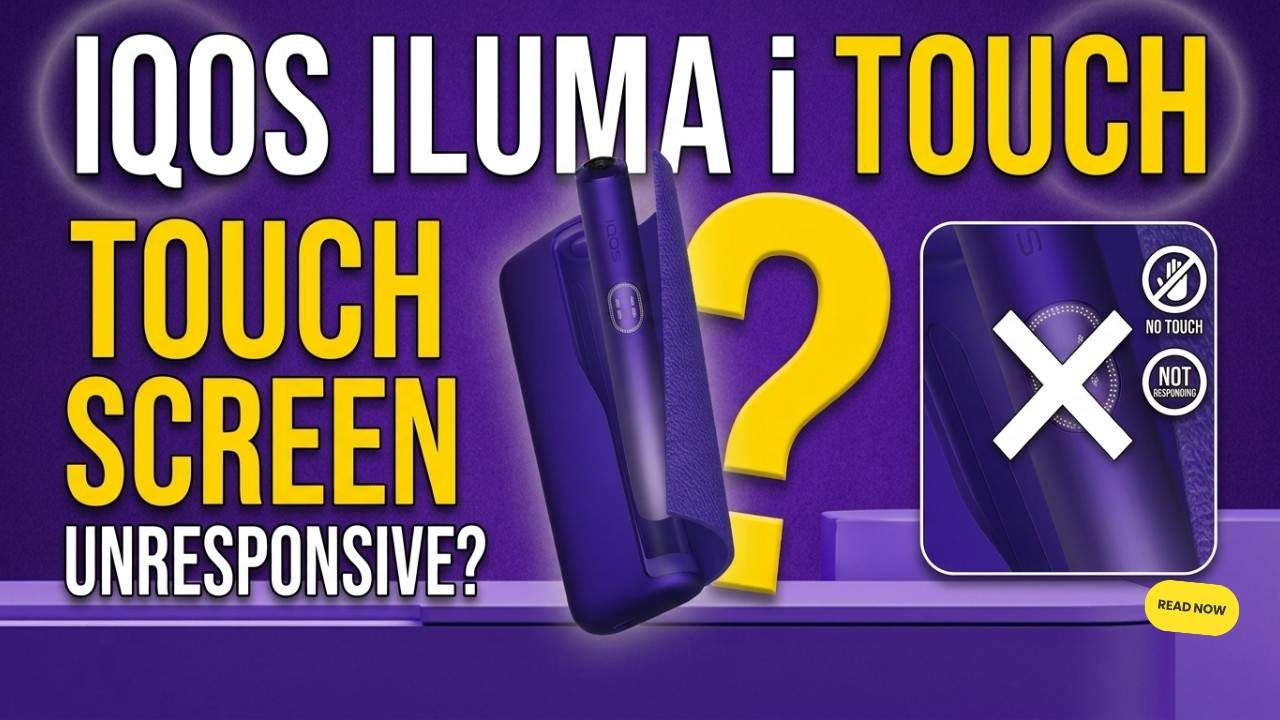
Having trouble with your IQOS ILUMA i Touch Screen? If the screen isn’t responding or appears locked, don’t panic. This guide explains the correct unlocking steps, common causes of an unresponsive screen, and simple fixes you can try before contacting IQOS support.
Cleaning & Maintenance: Especially in the UAE Climate
One of the real advantages of the induction design is that routine internal blade-cleaning isn’t required. The TEREA stick’s sealed construction means IQOS ILUMA i doesn’t need the kind of cleaning older IQOS generations did.
That said, a little external care goes a long way, particularly in the UAE:
- Wipe the charging contacts on the Holder and inside the Pocket Charger with a clean, dry cloth or cotton swab on a regular basis. Dust or debris around the charging contacts can interfere with charging, so keep them clean and dry.
- Never use water or liquid cleaners on or inside the charging contacts. Keep the charging ports and cables dry and free of contamination.
- Avoid leaving your device in direct, intense sunlight or inside a parked car during summer months. IQOS documentation indicates an operating temperature range of approximately 0°C to 40°C, and high heat outside that range can degrade battery performance and shorten its lifespan faster than normal use would.
Troubleshooting: Quick Fixes for Common Issues
| Issue | Likely cause | What to try |
|---|---|---|
| Device won’t turn on (IQOS ILUMA i Standard / PRIME) | Battery fully discharged, or a minor software glitch | Charge it first. If it still won’t respond, reset it by removing the Holder from the Pocket Charger and holding the Pocket Charger’s button for about 10 seconds until the lights blink. |
| Device won’t turn on (ILUMA i ONE) | Battery fully discharged, or a minor software glitch | Charge it first. If it still won’t respond, reset it by holding the ONE’s own button. Check your current user guide, as the exact hold time can vary. |
| Stick won’t heat | Improper insertion, or a fault with that individual stick | Re-insert a new TEREA stick, pushing straight in until you feel the confirming vibration. If it still doesn’t heat, try a different stick. |
| Status light blinking yellow/orange | Can indicate a low or depleted battery, depending on the model and situation | Check your device’s specific light guide for what that indicator means on your model, and recharge if needed. |
| Device seems to start heating unexpectedly or behaves erratically | A temporary software glitch, or Autostart triggering unintentionally | Remove any stick present and perform a reset for your model as above. If it keeps happening, you can review your Autostart setting in the IQOS App/Web App or contact official IQOS support. |
If the problem continues after a reset, follow the troubleshooting guidance for your model or contact official IQOS support.
Registering Your Device for Warranty
Once your ILUMA i is up and running, it’s worth registering the device through your IQOS account. Registering may provide access to extended warranty benefits under the current IQOS UAE warranty terms, and proof of purchase can be required. Exact warranty durations and registration windows have varied across IQOS UAE’s own pages, so check the latest official UAE warranty terms and registration requirements rather than relying on a fixed number here. It’s a step that’s easy to forget in the excitement of your first session, but worth doing in your first week.
Buying and Using IQOS ILUMA i in the UAE
IQOS heated tobacco products, including TEREA sticks, are sold through licensed retailers and the Vaporkit, and, like other tobacco and nicotine products, are restricted to adults 18 and over. If you’re unsure about current regulations, pricing, or where authorized retailers operate near you, the official IQOS UAE site and its store locator are the most reliable starting points, since availability, pricing, and retail policy can change and are best confirmed directly rather than assumed from older information.
Responsible Disposal of Used TEREA Sticks
Used TEREA sticks contain a sharp metal heating element as part of their induction design. Official IQOS guidance warns that swallowing it can cause serious injury. Do not disassemble or attempt to reuse a used stick. Dispose of used TEREA sticks according to your local waste-disposal requirements, and keep both used and unused sticks well out of reach of children and pets.
Frequently Asked Questions
Is IQOS ILUMA i easy for a complete beginner to use?
Yes. Between Autostart, the automatic preheating cycle, and the vibration cues that tell you when it’s ready and when a session is ending, the day-to-day experience is designed to need very little manual input once it’s charged and a stick is inserted.
Can I use HEETS sticks in my IQOS ILUMA i?
No. ILUMA i devices are built exclusively for TEREA (SMARTCORE STICKS™). Older HEETS sticks aren’t compatible with the induction system and using them isn’t recommended.
How long does one TEREA stick last?
Up to 6 minutes or 14 puffs, whichever comes first, as the standard experience across the ILUMA i range. FlexPuff may add up to 4 further puffs on eligible sessions. Always check your specific model’s user guide, since exact timing behavior can vary slightly.
What’s the difference between IQOS ILUMA i Standard and IQOS ILUMA i PRIME in daily use?
Very little functionally. Both use the same Pocket Charger-and-Holder system, the same charging times, and the same core features (Touch Screen, Pause Mode, FlexPuff, FlexBattery). PRIME is positioned as the more premium, refined design, but day-to-day operation is essentially the same.
How many times can I use the Holder before recharging it?
On IQOS ILUMA i Standard and PRIME, up to 3 consecutive uses in Performance Mode when Pause Mode isn’t activated, before the Holder needs to go back into the Pocket Charger. The all-in-one ILUMA i ONE is built for roughly 20 consecutive uses per full charge.
Can I charge my IQOS ILUMA i with a power bank?
Charging from a compatible USB power source may be possible, but use a compatible power adapter and cable that meet IQOS’s charging requirements. For ILUMA i, IQOS specifies a 5V/2A Type-C output. Check that any adapter or power bank you use matches this before relying on it.
How do I reset my IQOS ILUMA i if it stops responding?
On IQOS ILUMA i Standard and PRIME, remove the Holder from the Pocket Charger and hold the Pocket Charger’s button for about 10 seconds until the lights blink. On the ILUMA i ONE, hold the device’s own button as described in its current user guide, since the exact timing can differ from the Holder/Pocket Charger models.
Do I need to clean the inside of the device regularly?
No routine internal cleaning is needed. The bladeless induction design and sealed TEREA sticks mean IQOS ILUMA i doesn’t need the blade-cleaning older IQOS generations required. Beyond that, occasionally wiping the external charging contacts and following the general care tips in this guide should keep the device running well.
Final Thoughts
Getting comfortable with your IQOS ILUMA i, whether it’s the Standard, PRIME, or the all-in-one ONE, really comes down to a handful of habits: a full first charge, inserting TEREA sticks straight rather than twisting them, learning what each vibration means, and keeping the device within its recommended operating temperature in the UAE climate. Once those become second nature, day-to-day use is genuinely straightforward.
IQOS is not risk-free and provides nicotine, which is addictive. It is intended only for adults who would otherwise continue to smoke or use other nicotine products. Always follow the safety warnings and instructions included with your device, and check the latest official IQOS UAE information for current product availability, warranty terms, and local regulations.